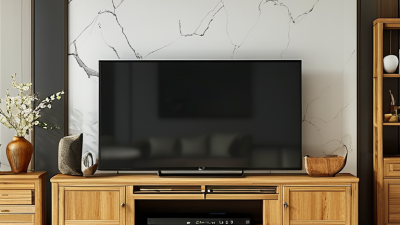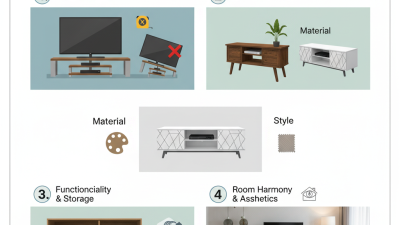
A Tv Stand can do more than hold a television. It can shape how your living room feels, functions, and welcomes daily life. A well-chosen stand supports the screen at a comfortable viewing height. It also creates practical storage for consoles, remotes, speakers, and neatly arranged cables. This matters when family members use the room differently throughout the day.
I have seen how a sturdy Tv Stand can make a small room feel calmer. Doors or open shelves can hide clutter, while ventilation spaces protect electronic equipment from excessive heat. Materials also influence the experience. Solid wood may add warmth, while engineered board can offer affordability and consistent finishes. Before buying, measure the wall, television width, viewing distance, and available cable outlets. Small details matter.
Look closely.
A reliable choice should match both safety needs and personal habits. Check weight capacity, stable construction, smooth edges, and secure shelving. Homes with children or pets may need extra anti-tip protection. Style is important, but it should not replace function. A beautiful stand can still disappoint if it blocks a soundbar or leaves cables exposed.
There is no perfect option. I once preferred open shelving, then discovered how quickly dust gathered around unused devices. That experience changed my priorities. Consider your room’s lighting, cleaning routine, and future equipment before deciding. With careful planning, a Tv Stand can improve organization, comfort, and visual balance without overwhelming the space. It may not transform everything. But it can make everyday viewing noticeably easier.
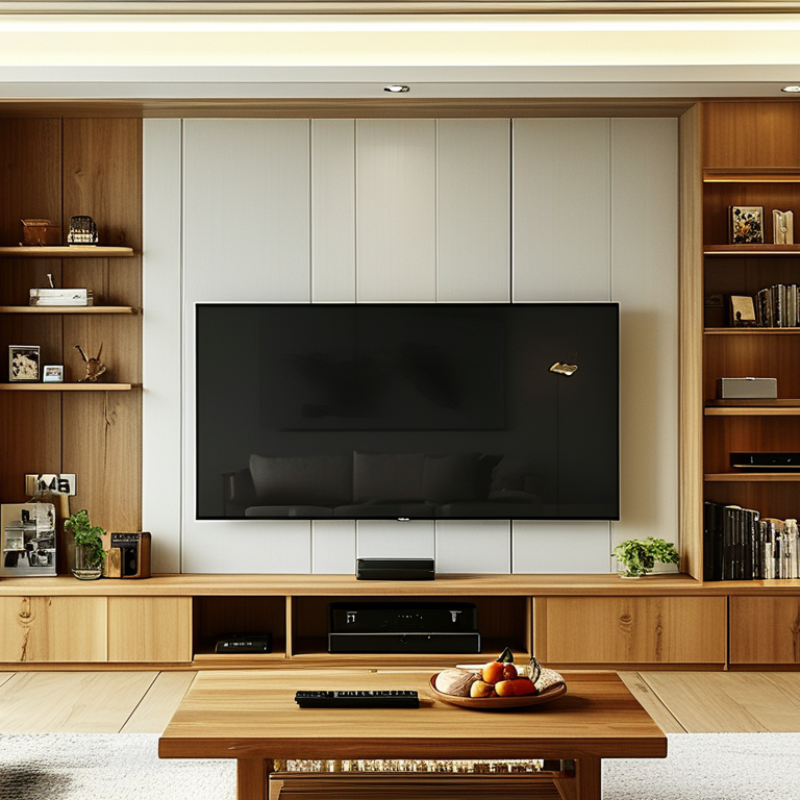
A TV stand is a low, stable piece of furniture designed to support a television. It may also hold speakers, game consoles, streaming devices, and remote controls. Its purpose extends beyond appearance. It organizes equipment, manages cables, and creates a safer viewing area. A suitable stand should match the television’s width and weight. It should also provide ventilation around electronic devices. Small detail. It matters.
Nielsen’s The Gauge reported that streaming represented 40.3% of U.S. television usage in June 2024. This shift has filled living rooms with more connected devices. A stand with open shelving can separate a console from a router. Closed storage can hide controllers and loose cables. The Consumer Technology Association’s 2024 U.S. ownership study also reported television ownership above 90% of American households. That makes the stand a practical household fixture, not an optional decoration.
During installation, check the manufacturer’s weight limit and the television’s base dimensions. Anti-tip hardware is valuable, especially in homes with children or pets. The furniture should sit on a level floor, with no blocked vents. A stand cannot fix poor viewing height or excessive screen glare. I sometimes see these problems overlooked because style receives more attention than function. That is a useful warning. A beautiful stand can still be inconvenient when cables cannot reach the outlet or devices overheat. Analysis from the Consumer Technology Association and Nielsen supports the same point: modern television spaces need organized support, not just a place to display the screen.
| Dimension or Feature | What It Means | Practical Guidance | Why It Matters |
|---|---|---|---|
| Definition | A TV stand is a freestanding piece of furniture designed to support a television and organize related equipment. | Choose a unit that is compatible with the television’s weight, stand position, and overall dimensions. | It provides a stable viewing setup without requiring the television to be mounted directly on a wall. |
| TV Support | The stand should have a level, sturdy surface or a properly fitted mounting system. | Check the television’s weight and the stand’s stated weight capacity before use. | Correct support helps reduce the risk of tipping, slipping, or furniture damage. |
| Width | The width of the furniture determines how much visual and physical support it provides beneath the television. | A stand that is at least as wide as the television is generally a balanced choice; measure the television including its feet or base. | A suitable width improves stability and creates a proportional appearance in the room. |
| Height | The height affects the position of the screen in relation to seated viewers. | Position the screen so viewers can watch comfortably without regularly tilting their heads upward or downward. | Appropriate height can support a more comfortable viewing posture. |
| Depth | Depth is the distance from the front edge to the back edge of the stand. | Allow enough depth for the television feet, cables, media devices, and ventilation space. | Adequate depth prevents overhang and leaves room for safe cable connections. |
| Storage Capacity | Storage may include shelves, drawers, cabinets, or open compartments for accessories. | Match the storage layout to the size of devices such as streaming players, game consoles, speakers, and remote controls. | Organized storage reduces clutter and keeps frequently used equipment accessible. |
| Cable Management | Cable-management openings or channels help route wires behind or through the furniture. | Look for openings large enough for power, HDMI, audio, and network cables, while keeping cables loose enough for ventilation. | Neater cable routing improves appearance and makes equipment easier to connect or service. |
| Ventilation | Ventilation allows heat produced by electronic equipment to escape. | Do not block device vents, and avoid tightly enclosing equipment unless the compartment is designed for airflow. | Good airflow helps reduce heat buildup around electronics. |
| Safety and Stability | Stability depends on the stand’s construction, floor contact, load capacity, and resistance to tipping. | Place the stand on a level surface, distribute equipment evenly, and use an appropriate anti-tip restraint when recommended. | These practices help protect people, pets, the television, and other household items. |
| Room Compatibility | The stand should fit the available floor area and leave practical clearance around the television. | Measure the wall or floor space, doorway, and access route before purchasing or moving the furniture. | Accurate measurements help prevent installation problems and preserve comfortable movement through the room. |
| Viewing Flexibility | A TV stand can be repositioned more easily than a wall-mounted television. | Consider whether the furniture needs to face a sofa, bed, dining area, or more than one viewing position. | Relocation flexibility is useful when room layouts, rental arrangements, or household needs change. |
| Maintenance | The furniture surface and compartments require regular dusting and occasional cable or equipment checks. | Use cleaning methods suitable for the material and leave electronic equipment powered down when performing detailed cleaning. | Routine care helps preserve the furniture and keeps the entertainment area orderly. |
Selection Tip: Before choosing a TV stand, measure the television, its base, the available floor space, and the equipment that will be stored inside or on the unit. Always follow the safety and installation instructions supplied with the television and furniture.